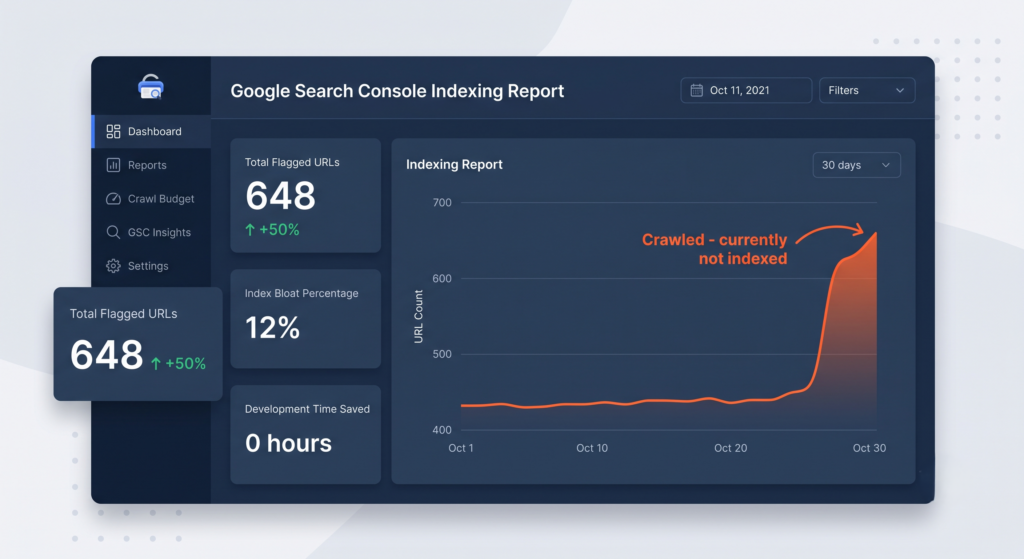
When you open Google Search Console to find your “Crawled – currently not indexed” report has suddenly spiked by more than 50% in a single month, the standard technical SEO playbook says to sound the alarms.
This exact scenario unfolded when flagged URLs surged from 430 to over 640 in under 30 days. The typical, reactive response to this kind of URL bloat is to immediately call in the web development team, write aggressive new server rules, and start blocking sections of the site in the robots.txt file to protect the crawl budget.
However, after performing a deep-dive technical audit, our team opted for an alternative approach, which we refer to as strategic inaction. By carefully categorising the URLs included in spikes, we discovered that most of these “errors” were common to hundreds of pages and had a single root-cause. This diagnostic process allowed us to save hours of unnecessary development time by recognising that sometimes, doing nothing is the safest and most profitable path.
What is index bloat?
‘Index bloat’ refers to a technical SEO issue where a search engine crawl engine discovers and indexes a large volume of low-quality, duplicate, or structurally irrelevant pages. When a site suffers from true index bloat, search engine bots spend valuable resources crawling non-essential parameters, legacy pathways, and system feeds rather than discovering and indexing clean, primary landing pages.
A high number of unindexed pages in Google Search Console does not automatically harm your overall organic search rankings. Google is highly adept at identifying duplicate content and filtering it out of the live search results.
However, severe index bloat can degrade organic performance by wasting your crawl budget. If Googlebot is forced to crawl thousands of dynamically generated duplicate pages, it may crawl your legitimate, high-priority pages less frequently, delaying the indexation of fresh content or key site updates. The key to maintaining a healthy budget is knowing how to distinguish between actual technical blockages and standard, healthy platform exclusions.
What does ‘crawled, currently not indexed’ actually mean?
When Google Search Console categorises URLs under the “Crawled – currently not indexed” status, it simply means Googlebot successfully reached and read the page, but Google decided not to place it in the live HTML search index. This is not a technical crawl error but rather an exclusion decision made by the search engine crawler.
Google frequently excludes pages because it perceives them as duplicate variations of other pages, low-value system files, or temporary parameters. Distinguishing between a standard, harmless platform function and a genuine structural error is the foundation of efficient Search Console management.
Are WordPress /feed/ URLs bad for SEO?




A classic example of standard, harmless platform behaviour is the presence of WordPress XML syndication feeds, which are the URLs ending in /feed/ in your exclusion reports. The platform naturally generates these feeds for categories, authors, and comments.
Googlebot intentionally crawls these XML data feeds because they are an efficient mechanism for discovering new content quickly. Once Googlebot processes the feed to find new post links, it deliberately excludes the feed URL itself from the search results to prevent search engine results page (SERP) clutter.
Unless you are managing a massive, constantly updating enterprise site with millions of pages, these feeds sitting in your “Crawled – currently not indexed” report have zero negative SEO impact and do not harm your crawl budget. Attempting to disable or redirect them using custom functions or heavy SEO plugins is an unnecessary modification that introduces code complexity for zero actual SEO return.
How to fix ‘Crawled – currently not indexed’ in Google Search Console
To resolve a bloated indexation report without wasting developer hours, you must segment your data to find the distinct technical footprints behind the URLs. Rather than treating all 640+ excluded pages as a single issue, our audit separated them into issues requiring manual intervention versus those best left to strategic inaction.
By filtering out the standard, healthy platform exclusions, you can focus on the technical systems that actually dictate how Google understands your primary URLs.
How do canonical tags in SEO solve dynamic URL duplication?
One of the most common reasons for a massive spike in “Crawled – currently not indexed” is the sudden crawling of dynamic plugins and marketing parameters. Googlebot frequently discovers asynchronous backend functions, such as AJAX queries, and standard marketing tracking parameters.
Googlebot crawls these parameter-heavy URLs because they are linked somewhere on the web or because interactive elements on your site require dynamic URL parameters to operate. It is simply mapping your entire technical ecosystem.
<link rel=”canonical” href=”https://tillison.co.uk/blog/core-landing-page/” />
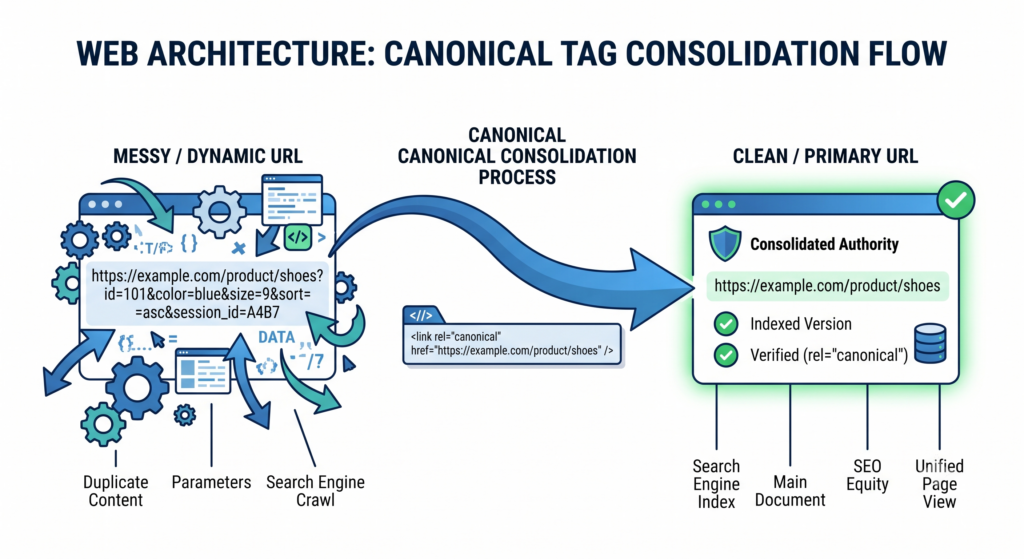
Instead of over-engineering your server configurations to block these messy parameter variations, you should rely on your site’s self-referencing canonical tags.
During our investigation, the “Crawled – currently not indexed” report confirmed that the site’s canonical tags were working perfectly as an automated safety net. Even though Googlebot discovered URLs with messy marketing parameters, the canonical tag on those pages explicitly instructed Google to ignore the parameters and only index the clean, primary URL.
Because Google successfully processed the canonical instruction, it safely dropped the tracking URLs into the “Crawled – currently not indexed” bucket, resulting in zero index bloat or duplication.
Maximising crawl budget optimisation through strategic inaction
While it is tempting to try and resolve every warning in Google Search Console, attempting a technical “fix” for standard tracking parameters or system architecture often introduces severe technical risk with virtually zero SEO reward.
Why standard tracking parameters should never be blocked by robots.txt
It is incredibly common for marketers to suggest blocking tracking parameters, such as ?__hstc= or ?__hsfp=, within the robots.txt file to “save crawl budget”. However, on standard-sized websites, this introduces unnecessary technical risks.
User-agent: *
Disallow: /?__hstc=
If a developer misconfigures a wildcard block in your robots.txt file, they risk accidentally blocking legitimate, indexable content.
Furthermore, if you block parameterised URLs in your robots.txt file, Googlebot is forbidden from crawling them. This means Googlebot cannot read the canonical tag on those pages, preventing the search engine from resolving the duplication logic and potentially leaving duplicate variations of your pages permanently orphaned. Because Google is highly efficient at processing parameterised URLs on standard-sized sites, maintaining a default, canonical-driven setup is the safest and most stable approach.
Managing Google Search Console errors systematically
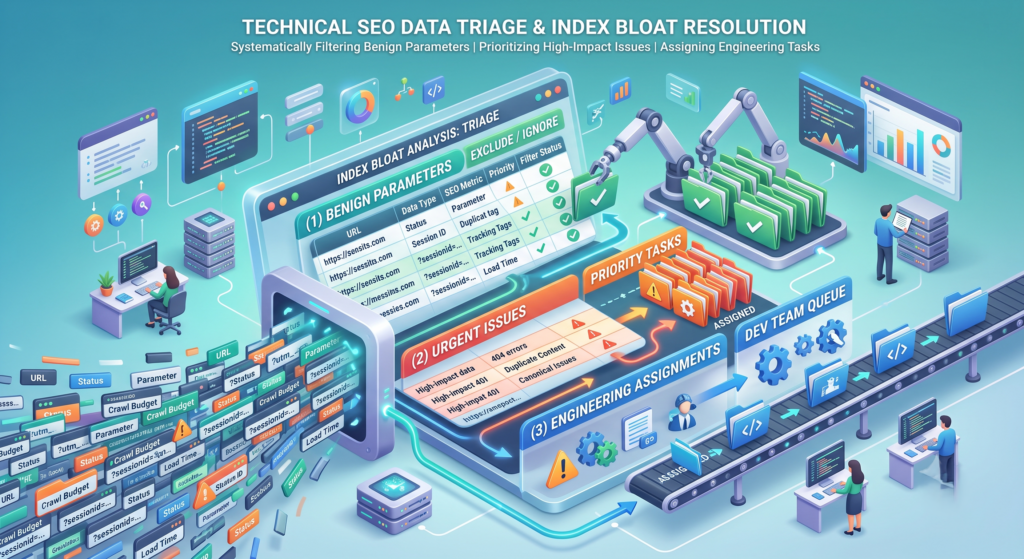
To keep your search presence healthy without wasting development resources, we recommend establishing a structured, routine monitoring schedule.
- Review GSC Monthly — We recommend checking your indexing reports once a month to spot sudden spikes, identify unexpected trends, and prevent minor anomalies from compounding.
- Group and Segment First — Our technical team advises that you export your data, group URLs by their structural patterns, and filter out benign parameters before assigning engineering tasks.
- Triage by Impact — We believe in resolving actual errors that affect the crawlability of your core pages while letting canonical tags and default platform behaviours handle standard exclusions safely.
Conclusion
A spike in unindexed URLs is often a sign of healthy search engine activity rather than a system failure. Attempting to modify core files or block standard tracking scripts introduces code complexity and operational risks with virtually zero organic search benefit.
Our investigation confirms that relying on standard canonical configurations is the safest, most stable, and most cost-effective method to manage dynamic parameters. By choosing strategic inaction, we protected our client’s live search results, maintained their existing crawl budget, and avoided wasting valuable development resources on zero-value fixes.
Optimise Your Technical SEO Architecture
Resolving complex indexation issues requires a balance of precise technical understanding and strategic patience. If your site is experiencing unexplained indexation spikes or unexpected search console warnings, our team can help you map out a clear, risk-adjusted path to recovery.
Arrange a private consultation with our technical SEO team to discuss your property’s indexing and performance requirements.